
Overview
The Social posts page turns a product, a collection or any topic into ready-to-post captions. You get one draft per network, sized and toned for it. Seokai doesn't publish anything: you copy each caption and post it yourself. Posts use your existing product photos; Seokai doesn't create images.
How to Use
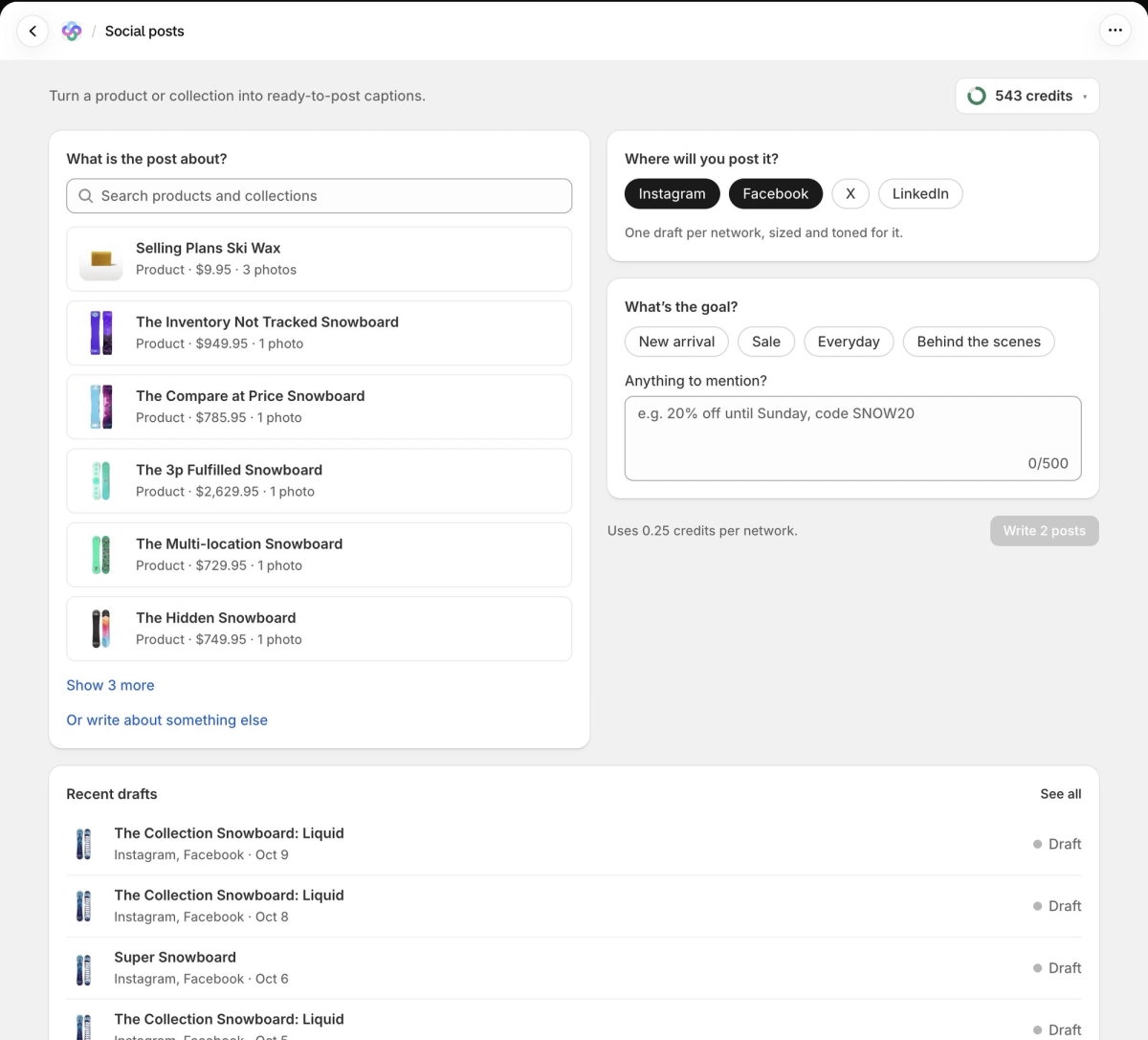
Open Social posts from the Seokai menu.
- Under What is the post about?, search for a product or collection and pick it. To write about something else, such as new opening hours, click Or write about something else and type your topic.
- Under Where will you post it?, select one or more networks: Instagram, Facebook, X and LinkedIn.
- Under What's the goal?, pick New arrival, Sale, Everyday or Behind the scenes.
- Under Anything to mention?, add an optional note, such as a discount code.
- Click Write posts (the button shows how many, for example "Write 2 posts").
Your latest drafts are listed under Recent drafts, marked Draft or Copied. Click See all for the full list.
Working With Your Drafts
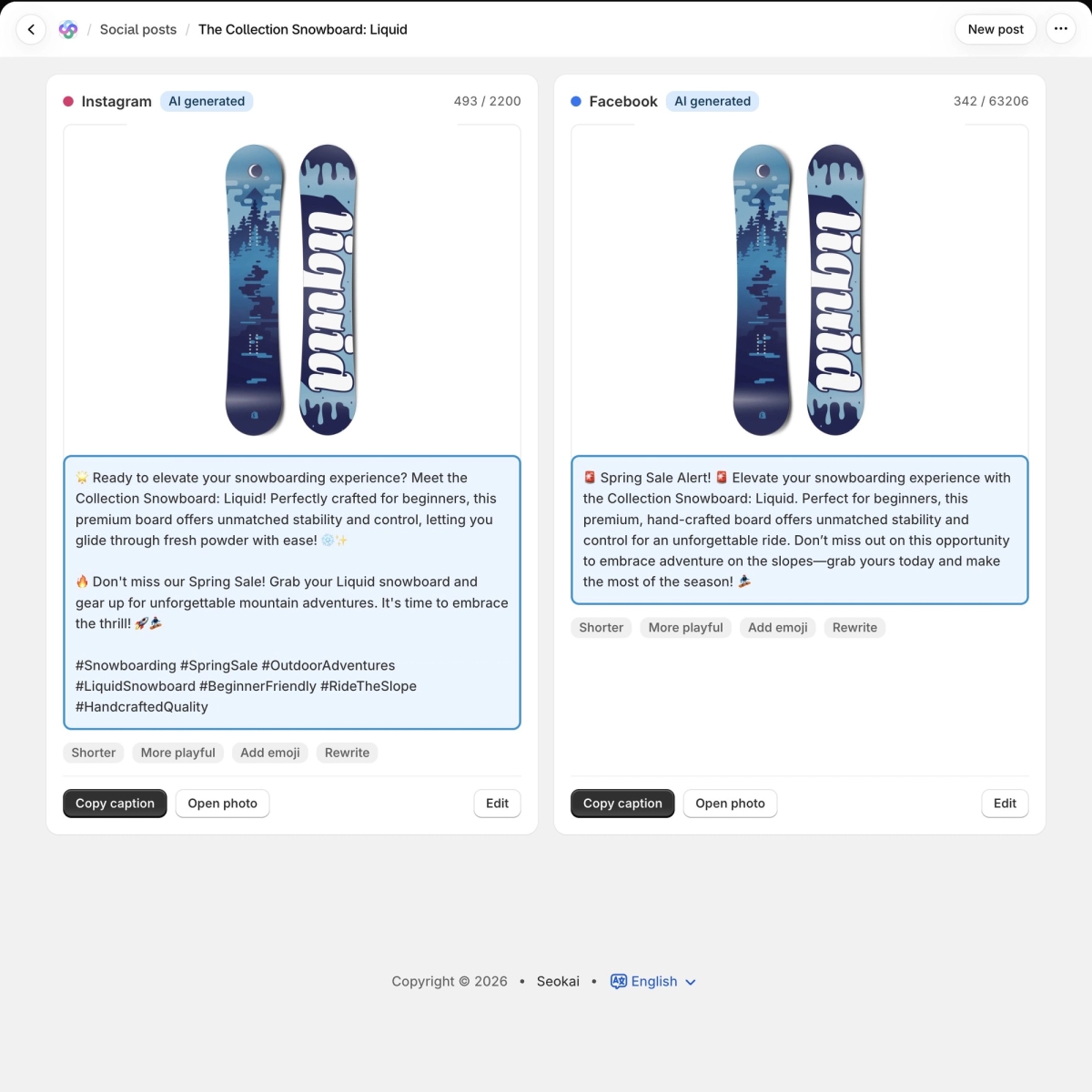
Each network gets its own card with a photo, the caption and a character count against that network's limit (2,200 for Instagram, 280 for X, 3,000 for LinkedIn). If the product has several photos, you can choose which one to post with. New captions are marked AI generated.
- Shorter, More playful, Add emoji and Rewrite ask AI for a new version of the caption.
- Restore brings back the previous caption at no cost.
- Edit lets you change the text yourself.
- Copy caption copies the text so you can paste it into the network.
- Open photo opens the image so you can save it and post it with the caption.
Drafts stay on the page, so you can come back to them later. New post starts over.
Credits
Each post costs 0.25 credits per network, so one post for Instagram and Facebook costs 0.5 credits. Asking AI for a new version of a caption also uses credits. Social posts work on every plan. If you set up a brand voice in Settings, Seokai applies it to your captions.